
HDR with balance
Frame-by-frame tone mapping helps adapt demanding HDR material to the brightness your display can deliver.
UK HOME CINEMAS / madVR ENVY
Rich highlights. Revealing shadows. A picture shaped for your screen, your projector and your films.
DESIGN / INSTALLATION / CALIBRATION
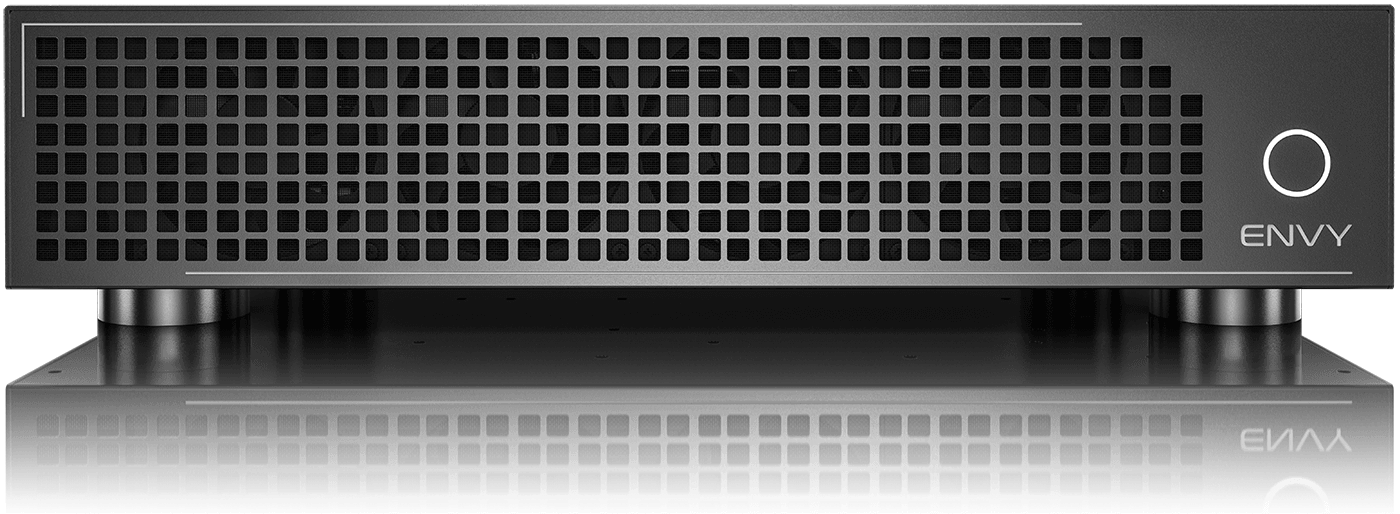
madVR ENVY / THE EXPERIENCE
A large cinema screen makes every picture decision visible. madVR Envy processes the video between source and display, giving us detailed control of HDR presentation, image scaling and screen fit. It is an upgrade for people who want to get more from the display they have carefully chosen.
Frame-by-frame tone mapping helps adapt demanding HDR material to the brightness your display can deliver.
NLS+ can reduce black bars and bring more of your screen into everyday viewing. Discover Non-Linear Stretch.
Aspect-ratio detection and subtitle tools help manage changing formats on a cinema screen.
Scaling, calibration and image-processing controls let us refine the presentation for your system.

BEHIND THE EXPERIENCE
Bright skies and dark interiors ask a lot of a projector. Envy analyses the incoming picture and maps it to the available display range. The aim is a well-balanced image with visible detail, rather than a single fixed HDR setting for every scene.
NLS+ / MORE OF THE SCREEN YOU CHOSE
Your wide cinema screen is spectacular with a scope film. NLS+ gives you another way to enjoy it with television, sport, concerts and other screen shapes too.
When the shape of a programme differs from your screen, unused areas appear as black bars. NLS+ lets you reduce those bars or fill the screen by reshaping the image. It is an adjustable viewing choice: you decide how much of the screen to use and which material should use it.
Unlike a simple uniform stretch, Envy lets the reshaping vary across the picture. Horizontal and vertical adjustments can work together, distributing the change rather than putting all of it in one direction. The result can feel more immersive, with settings chosen to suit your eyes.
Think of a live concert on a wide screen: you want the evening to feel like an event. Or a family watching television in the cinema: you may prefer a fuller picture to large bars at the sides. NLS+ makes that a choice you can explore, rather than a limitation of the programme’s shape.
Original proportions: side bars.
Screen-fill goal: a wider presentation.
Screen-shape concept only. These diagrams do not reproduce madVR’s NLS+ algorithm or predict its picture quality.
A 2.35:1 or 2.40:1 screen need not be reserved for wide films. Explore a larger presentation for narrower programmes, with settings that suit the content and the way your family watches.
NLS+ also offers a way to reduce top and bottom bars when wider films are shown on a 16:9 display. It is relevant to televisions and conventional cinema screens as well as scope installations.
You can favour original proportions for films and use NLS+ for other viewing. A less aggressive setting can reduce bars without removing them completely. We help establish profiles that feel right in everyday use.
Changing the shape changes the geometry. Stretch can be visible in faces, straight lines or camera movement, and optional zoom/crop settings can remove picture area. Stronger screen filling is not automatically the better setting. We compare familiar scenes and find the balance you enjoy, with original-aspect viewing available when you prefer it.
Envy’s aspect-ratio detection can apply preferred NLS+ settings as the content shape changes. Profiles let us plan when it is used, so the cinema can follow your preferences across different programmes. The important part is agreeing the behaviour during setup, including menus and films with changing aspect ratios.
NLS+ is available across the current Core, Pro and Extreme range. It is a reason to consider Envy itself, rather than an Extreme-only upgrade. MotionAI and specialist geometry correction are separate model decisions; we will explain the configuration that matches your needs.
LOOK CLOSER / HDR PRESENTATION
Drag the comparison to explore madVR’s own example. Then let us discuss what processing could bring to your screen.

 With EnvyWithout Envy
Manufacturer A/B photography, reproduced as supplied. This is an illustration of one comparison, not a simulation of your projector or a promise of identical results. Your screen, viewing conditions and this browser affect its appearance.
Clouds, sunlight on metal and reflections can carry subtle detail. An HDR presentation needs to give those highlights room while keeping the surrounding scene convincing. Ask us to show you a challenging scene rather than judging an upgrade from a bright menu screen.
A dim interior should still tell its story. The useful question is whether you can read the scene without turning its atmosphere grey. We balance the presentation against the real contrast and light output of your display, with room lighting considered at the same time.
Your cinema should be a pleasure to use across a whole evening of different material. Carefully agreed profiles let us establish a consistent starting point for films, other sources and personal preferences. You remain in control of the look you enjoy.
WHY A SEPARATE PROCESSOR?
You may already love your projector. Envy gives us another way to develop its performance and the way your cinema works.
A projector combines optics, a light source, imaging panels and its own electronics. Envy concentrates on the incoming picture. That separate role is valuable when you want precise control over how varied content is prepared for one carefully installed screen.
Think about the films you actually watch. A dramatic HDR release, an older Blu-ray and a streaming series ask different things of the signal path. A dedicated processor gives us a common place to refine their presentation, instead of relying on unrelated picture settings in several source devices.
The strongest case for Envy is a system with good fundamentals and a clear goal: more satisfying HDR, easier scope-screen use, measured colour accuracy or specialist motion and geometry control. Tell us what you want to improve and we will explain which features address it.
Built-in processing may already suit your room very well. A separate Envy adds another approach to presentation and a broader set of screen-management, calibration and model-specific tools. The decision should be based on what changes in your own cinema, not the number of processor boxes in the rack.
We review your current settings and agree how the projector and Envy will work together. The target is a deliberately configured signal path, with no unwanted double processing. A demonstration using familiar material is the most useful way to judge whether the improvement is worthwhile for you.
Processing cannot replace a better lens, create additional light output or change the native black floor of the display. It can make more considered use of what is available. We will help compare a processor upgrade with the alternatives, such as calibration, room light control, a different screen or a projector upgrade.
WHY ADD A VIDEO PROCESSOR?
You should be watching the film, rather than wondering whether the next scene needs a different picture setting. A dedicated video processor gives us a separate place to refine how each source reaches your screen, with the display, room and your preferences considered together.
A sunset and a candlelit room place very different demands on a projector. HDR tone mapping translates the source’s brightness range into the range available on your display. Envy adjusts this frame by frame, helping balance highlights, shadows and overall presentation as the film changes.
A wide cinema screen is wonderful for a scope film, but television, menus and subtitles need a plan too. Aspect-ratio detection and screen-fit tools let us build sensible viewing profiles, with decisions about original composition, image size and subtitle visibility made deliberately.
Detail, grain and motion are creative choices as well as technical subjects. Our starting point is a coherent, natural presentation. We can discuss what you enjoy and compare settings using familiar scenes, rather than turning every enhancement to its maximum.
THE TECHNICAL PART / EXPLAINED CLEARLY
HDR material can describe highlights far beyond the light a home projector can put on a large screen. Something has to translate that signal. Tone mapping decides how brightness is redistributed: a bright object may need compressing while the rest of the scene remains readable. The aim is a convincing balance, not simply raising the brightness control.
Envy provides a dedicated processing stage for this work. The benefit still depends on the projector, screen size, screen gain, room light and setup. It cannot add light output or lower the projector’s native black floor. We assess these fundamentals before recommending processing as your next investment.
A lookup table, or LUT, is a measured correction map. Instead of assuming the display reproduces every colour accurately, calibration measures its behaviour and builds corrections within its capabilities. A 1D LUT addresses individual channel response; a 3D LUT also describes how colours interact across the colour volume.
Envy supports compatible ColourSpace and Calman workflows. Measurement equipment, calibration software and professional time are separate parts of the installation scope. We confirm the appropriate workflow for the display and verify the result, rather than promising that one downloaded preset will calibrate every cinema.
Scaling changes the pixel grid used to present an image. It can improve the handling of lower-resolution material on a higher-resolution display, but it does not recover a new camera recording from missing information. We judge the result at your seating distance, looking for natural texture and clean edges.
Poor source material also has limits. Some model and package combinations offer additional noise, compression-artifact and banding tools. These are useful options to assess selectively, alongside choosing a better version of the film where one is available. Your quotation will identify the features included in the selected model.
There are several valid ways to show a narrower picture on a wide screen: preserve it with side bars, resize it, or use a stretch option. Filling the screen can change image geometry or composition. We explain that trade-off and set a default that reflects your preference.
Envy’s standard subtitle handling can temporarily resize the picture. Dynamic Subtitle Overlay is a separate feature on supported packages, allowing subtitle repositioning without the same resizing approach. The current comparison flags direct lens-memory activation as coming soon. We do not include that as a delivered capability; projector control requires an equipment-specific check.
Motion interpolation creates intermediate frames to change the presentation of movement. Some viewers value smoother camera pans; others prefer the familiar cadence of film. MotionAI is an Extreme feature, with controls to explore that preference. It deserves a demonstration rather than an assumption that the strongest setting is best.
Extreme’s geometry tools are relevant to specialist screen and installation arrangements. Digital correction is part of a wider optical design: we first consider physical positioning, lens range, screen shape and any anamorphic lens. A processor should support a sound installation plan.
THE LITTLE THINGS THAT CHANGE MOVIE NIGHT
A wide screen should immerse you in the film, with subtitles you can comfortably read.
On a scope installation, subtitles can land in the black bars beyond the visible screen. Standard subtitle management solves this by reducing the image temporarily. Dynamic Subtitle Overlay takes a different approach: on supported configurations it relocates detected subtitles while keeping the picture size steady.
It also offers control of subtitle appearance, including size and adaptive brightness. That can make dialogue less intrusive in a dark room. Core requires the Premium Package; Pro and Extreme support DSO. The current guide specifies compatible firmware and source settings, so we check those as part of setup.
DSO activation depends on subtitle placement; it does not simply relocate every kind of text already embedded in a film. We plan around your preferred player and viewing habits and explain the available behaviour.
Concept illustration of subtitle placement, not an Envy output capture.
THE RANGE / AT A GLANCE
Start with the picture tools you need today, then consider the installation, hardware and specialist features that justify the next step.
| Your priority | Core MK2 | Core MK2 + Premium | Pro MK3 | Extreme MK3 |
|---|---|---|---|---|
| HDR tone mapping | Frame-by-frame processing across the range. | |||
| Screen fit / calibration | Automatic aspect-ratio detection, standard subtitle management and 3D LUT support. | |||
| DSO / additional artifact tools | Premium required | Included* | Included* | Included* |
| MotionAI / geometry correction | — | — | — | Included |
| Rack format | 2U | 2U | 4U | 4U |
| Manufacturer parts/labour warranty | 2 years | 4 years* | 5 years | 5 years |
| UK installed price | Price on application. Equipment, options and services itemised in your quotation. | |||
*Core package and firmware eligibility apply. DSO needs compatible source settings. The current chart marks some direct device/lens-memory integration as coming soon; those functions and other roadmap items are not promised as delivered. Core MK2 has 48Gbps hardware but operates at HDMI 2.0 / 18Gbps without Premium. We confirm the required input/output format before specifying a system. Full manufacturer specification.
FIND YOUR STARTING POINT
Choose the capabilities your cinema needs. We will help turn the shortlist into a complete, carefully specified solution.
The essentials, carefully delivered.
A compact route to Envy processing. The Premium Package adds selected features; we will match the configuration to your screen and source devices.
Price on applicationDiscuss Envy Core MK2 ↗

More processing options.
For systems that need features beyond the base Core specification. We compare its capabilities with Core plus Premium and Extreme before recommending it.
Price on applicationDiscuss Envy Pro MK3 ↗
For the most demanding installations.
The flagship adds specialist motion and geometry tools. Particularly relevant when screen shape, installation geometry or motion preferences call for more control.
Price on applicationDiscuss Envy Extreme MK3 ↗
UK pricing, installation, options and availability are confirmed in your tailored quotation.
DESIGNED AROUND YOUR CINEMA
Manage films that change aspect ratio, content on a scope screen and subtitles that fall outside the picture area. Some options resize or stretch the image; we can set profiles around your preference for preserving composition or filling the screen. Geometry correction and MotionAI are model-specific.

An optional feature upgrade for Core models. We confirm the current feature list and price before specification.
A measured setup can include display profiling and 1D/3D LUT calibration with compatible tools, as appropriate to the display.
Plan rack ventilation, HDMI bandwidth, lip sync and control integration. Gaming may need a dedicated low-latency or bypass route.
MAKE AN INFORMED CHOICE
No. It is a separate video processor used with a compatible projector or display, source and HDMI signal path.
No. Scaling changes the output presentation; it does not turn a lower-resolution source into a native 8K recording.
Yes, subject to configuration and format compatibility across the system. We verify the source, processor, HDMI path and display together.
Start with your display, screen shape, sources and required features. The current manufacturer comparison chart is the basis for our recommendation; roadmap features are not treated as delivered features.
UK HOME CINEMAS / SPECIFY THE COMPLETE PATH
Send us your projector or display model, screen width and shape, seating distance and source list. Tell us what bothers you: dark HDR, awkward subtitles, format changes, motion or simply the feeling that the system has more to give. We can then discuss whether Envy, calibration or another change should come first.
A typical design carries video from your source switching to Envy and then to the display, with audio handled by your receiver or processor. The exact route depends on the equipment. HDMI bandwidth, HDCP compatibility, cable lengths, ventilation, control and audio delay all need checking together.
We can specify installation, picture setup, calibration and compatible control integration in one proposal. Everyday controls should make sense to everyone who uses the room. We explain the agreed profiles, how to select them and what support is included, with any further work clearly scoped.
Tell us which consoles or computers you use, your target refresh rate and whether variable refresh is important. A fast HDMI connection does not by itself establish the latency of every processing mode. We check the current model specifications and plan a suitable gaming mode or separate route where appropriate.
Choose from the features you will use. Core offers the foundation; its optional Premium Package unlocks additional functions. Pro is another specification to compare against that combination. Extreme adds the specialist MotionAI and geometry tools. Ask us to explain the practical difference for your screen, rather than buying only by the position in the range.
Existing prices remain subject to the page’s quotation wording. Your proposal will distinguish hardware, optional packages, installation and calibration. We confirm availability and current feature eligibility before you commit.
YOUR CINEMA / YOUR PRIORITIES
Tell us what matters to you. Explore a sensible model shortlist and send the details for a tailored installation proposal.
YOUR STARTING POINT
Start with the core picture-processing features, specified around your display.
Typical video route only. Audio is handled by your receiver / processor; switching, lip sync and any gaming pass-through or alternative route need an equipment-specific plan.
Price on application
We will itemise hardware, optional packages, installation, calibration and control work in your proposal.
This guide shortlists features; it is not a compatibility guarantee or a live price calculator. We confirm current hardware, firmware, UK availability and the complete signal path before quotation. Your choices stay in this page until you choose to open an email enquiry.
UK HOME CINEMAS / PERSONAL ADVICE
Tell us about your room, current equipment and the experience you want. We can help with a focused upgrade or bring the complete cinema together, from specification to installation and setup.